Unit 6.1 - Embedded wasm apps
Exercise 6.1.1: Web Assembly animation
Embed a wasm animation into a static web page.
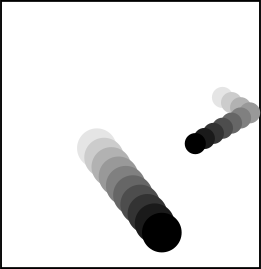
We will use wasm-bindgen to interface with javascript.
Setup
cargo install wasm-pack
or get it here: https://rustwasm.github.io/wasm-pack/installer/.
Project skeleton
wasm-animation/
├── Cargo.toml
├── description.md
├── src
│   ├── lib.rs
│   └── animation.rs
└── static
    └── index.html
At the beginning, the project contains a rust wasm library exporting a function
draw_play_button which does nothing but to pop up an alert box.
The source tree also contains src/animation.rs, but this file is not used
by lib.rs at the beginning.
To compile the project (here, without using npm), use
wasm-pack build --target web --release --no-pack --no-typescript -d public/pkg
The file static/index.html serves as the entry point, but currently
does not yet load the wasm bundle. Instead it displays "Click to start" on a <canvas> element.
If the user clicks on the canvas, the elapsed time after
loading the page will be displayed in an animation loop.
The animation loop is implemented by using
requestAnimationFrame().
Note: You cannot directly open index.html in your web browser due
to CORS
limitations. Instead, you can set up a quick development
environment using either Python's built-in HTTP server:
python -m http.server -d static/
or by using miniserve:
cargo install miniserve
miniserve static --index "static/index.html" -p 8080
Step 1: Integrate the wasm bundle into index.html
-
At the beginning of
<script type="module">, addimport init, { draw_play_button } from "./pkg/wasm_animation.js"; -
Call
await init();as the first statement ofasync function run() {, -
Call
draw_play_button();as the 2nd statement, -
Symlink or copy
static/index.htmltopublic/, - Compile / test the result in the browser. A alert popup should appear when loading the page.
Step 2: Replace the alert popup by actual logic
Here is javascript code which draws a play button on the canvas element:
function drawPlayButton() {
  const canvas = document.getElementById("canvas");
  const ctx = canvas.getContext("2d");
  ctx.fillStyle = "rgba(255, 255, 255, 0.5)";
  ctx.fillRect(0, 0, canvas.width, canvas.height);
  ctx.beginPath();
  const cx = canvas.width/2
  const cy = canvas.height/2;
  const r = 0.4*Math.min(canvas.width, canvas.height);
  ctx.lineWidth = 0.2 * r;
  ctx.arc(cx, cy, r, 0, 2 * Math.PI);
  ctx.closePath();
  ctx.stroke();
  ctx.fillStyle = "black";
  ctx.beginPath();
  const r_triangle = 0.7 * r;
  const sin_60 = Math.sqrt(3)/2;
  const cos_60 = 0.5;
  ctx.moveTo(cx-r_triangle*cos_60, cy+r_triangle*sin_60);
  ctx.lineTo(cx-r_triangle*cos_60, cy-r_triangle*sin_60);
  ctx.lineTo(cx+r_triangle, cy);
  ctx.closePath();
  ctx.fill();
}
Translate it to rust, replacing alert("TODO");.
-
Remove
alert("TODO");and theextern "C"block, -
Start with
let document = web_sys::window().unwrap().document().unwrap(); let canvas = document.get_element_by_id("canvas").unwrap(); let canvas = canvas.dyn_into::<web_sys::HtmlCanvasElement>().unwrap(); let ctx = canvas .get_context("2d") .unwrap() .unwrap() .dyn_into::<web_sys::CanvasRenderingContext2d>() .unwrap(); -
Translation involves:
ctx.fillStyle = ...->ctx.set_fill_style(&JsValue::from_str(...)),ctx.lineWidth = ...->ctx.set_line_width(...),canvas.width->canvas.width() as f64(same forheight),ctx.camelCase(...)->ctx.snake_case(...),ctx.arcneeds an.unwrap().
-
In
static/index.html: Replace the calls todraw_initial_text()withdraw_play_button();and remove its definition, - Compile / test it in the browser.
Step 3: Replace the js "animation" by the prepared rust animation
-
Make the
animationmodule available tolib, by inserting
at the top of// wasm independent logic: mod animation;src/lib.rs, -
Wrap the
animation::Animationstruct in a new structAnimationinlib.rs- exporting it withwasm_bindgen:
Here, we also persist a#[wasm_bindgen] pub struct Animation { animation: animation::Animation, context: web_sys::CanvasRenderingContext2d, }web_sys::CanvasRenderingContext2dinstance, so we do not have to fetch it all the time from the DOM. -
Add exported functionality to
Animation:#[wasm_bindgen] impl Animation { pub fn new() -> Result<Animation, JsValue> { // Initialize context and animation Ok(Self { animation, context }) } /// Advance one time step and draw pub fn step(&mut self, dt: f64) { // Call self.animation.step and self.render } /// Render the current state of the animation to the canvas pub fn render(&self) { // - Clear the canvas // - Draw a bounding box (canvas width / height) // - Draw all balls in `self.animation.balls` } } -
In
index.html, addAnimationto theimportstatement (inside the curly braces), -
Call
const animation = Animation.new();andanimation.render();directly afterawait init();, -
Remove
function animation(), -
Replace the call
animation(t)withanimation.step(t - state.t0), - Test it in the browser.
Step 4 (challenge): Translate the rest of the js code to rust
Goal: the <script> element in index.html should look like:
<script type="module">
  import init from "./pkg/wasm_demo.js";
  init();
</script>
and all the initializing logic should go to
#[wasm_bindgen(start)]
fn run() {
    // init logic
}
Hint: Have a look at this example.